 EN
EN


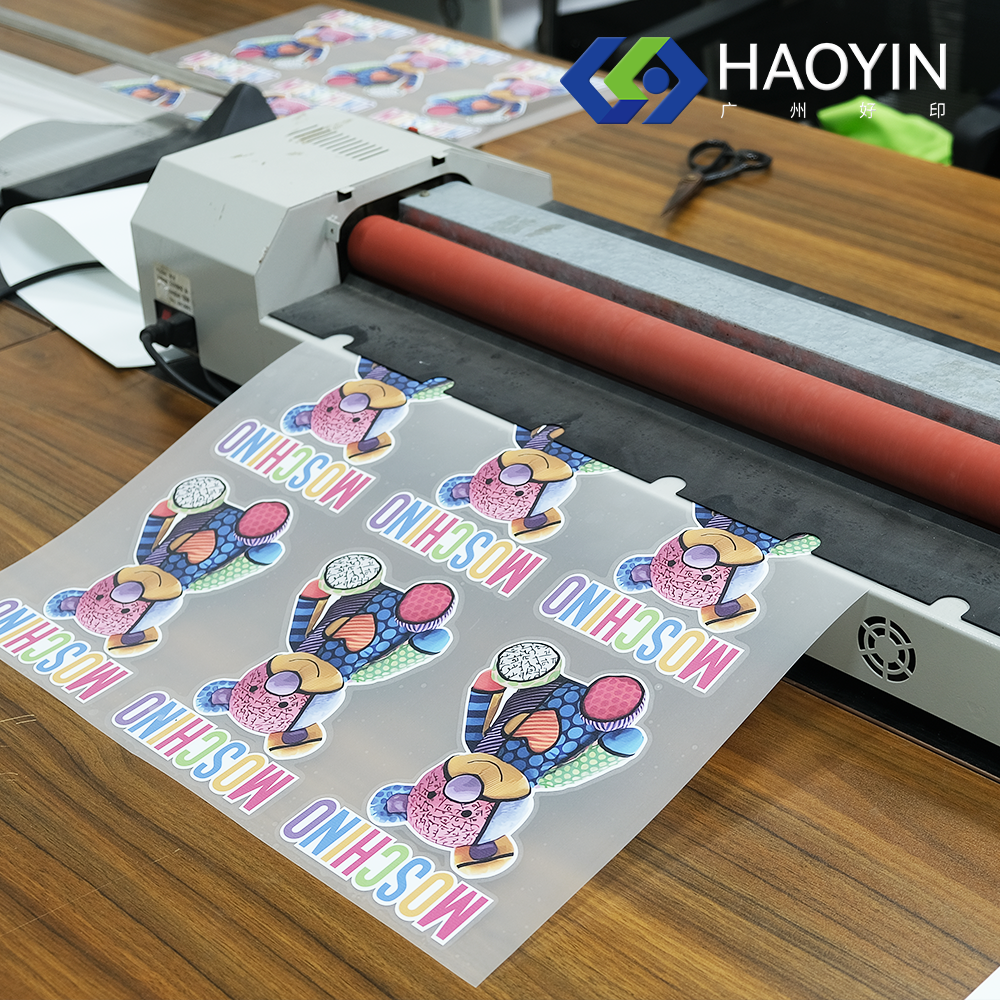
Creating garments and custom merchandise with complex, multi-color artwork has traditionally required painstaking registration, multiple layers of cut vinyl, or expensive screen-printing setups. printable htv changes this equation entirely by giving decorators a substrate that accepts full-color inkjet output and then bonds permanently to fabric through heat and pressure. Understanding exactly how this material fits into a multi-color graphic workflow is essential for any business or hobbyist who wants photographic-quality results without the complexity of traditional methods.
The appeal of printable htv lies in how seamlessly it bridges digital design and physical textile production. A designer can work in full RGB or CMYK color space, output the design directly from an inkjet printer onto the coated surface of the material, and then transfer the entire graphic in a single press cycle. No color-by-color layering, no separate weeding for each shade, no complex alignment jigs — just one cohesive, full-spectrum image applied to the garment. This article explores the mechanics, workflow stages, and practical considerations that make printable htv the preferred choice for multi-color graphic applications.
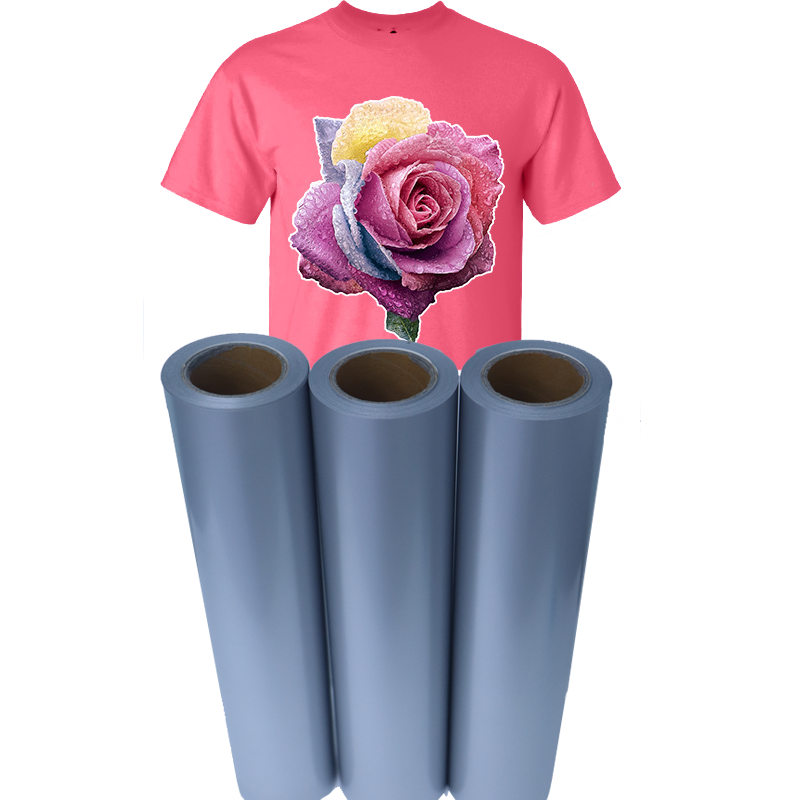
Understanding the Structure of Printable HTV
The Coated Printing Surface
Printable htv is engineered with a specialized receptor coating on its top surface that is formulated to accept and hold inkjet pigment or dye-based inks. This coating controls ink spread, prevents bleeding, and ensures that fine linework and photographic gradients remain crisp after printing. Unlike standard vinyl that repels liquid, the receptor layer absorbs just enough ink to create vivid, accurate color while maintaining edge definition.
The receptor coating also plays a role in ink adhesion after the transfer is complete. Once heat and pressure are applied, the coating fuses into the adhesive layer beneath it, effectively locking the printed ink between the film layers and the fabric fibers. This encapsulation is what gives printable htv its wash durability even with delicate, water-based inks.
For multi-color workflows, the quality of this receptor layer is what determines whether the final transfer maintains the full dynamic range of the original digital file. A well-engineered printable htv product can reproduce thousands of colors, subtle gradients, and fine details that would be impossible to achieve with cut vinyl alone.
The Adhesive and Carrier Layers
Beneath the receptor coating, printable htv features a thermally activated adhesive that remains inert at room temperature but becomes tacky and then permanently bonded when subjected to the precise heat and dwell time recommended by the manufacturer. This adhesive layer is what differentiates heat transfer vinyl from standard printable films designed for paper or rigid substrates.
The carrier liner on the back of printable htv serves as a dimensional stabilizer during printing, preventing the flexible film from feeding unevenly through an inkjet printer. After pressing, the carrier peels away cleanly, leaving only the transferred graphic on the fabric. Whether the liner is a hot-peel or cold-peel type affects the workflow timing, with cold-peel options often producing a slightly smoother surface finish — an important consideration when the graphic includes solid color fills or photographs.
How Printable HTV Handles Multi-Color Complexity
Eliminating Layer-by-Layer Color Registration
Traditional multi-color vinyl decoration requires the decorator to cut, weed, and apply each color separately, carefully aligning every layer to avoid gaps or overlaps. Even small misregistrations become visible, especially at smaller text sizes or in areas where two colors meet at a sharp angle. Printable htv eliminates this challenge entirely because all colors in the artwork are printed simultaneously in a single pass through the inkjet printer.
From a workflow perspective, this means a ten-color logo requires exactly the same preparation time as a single-color design. The printer handles color mixing through its CMYK or extended-gamut ink set, and the receptor coating on the printable htv surface captures the entire color field in one operation. This compression of steps is what makes printable htv so valuable for businesses handling high-SKU, low-volume custom orders.
Decorators working with complex brand artwork, sports team graphics with gradients, or photographic portraits find that printable htv is the only practical vinyl-based solution for faithfully reproducing their clients' files. The alternative — attempting to approximate a gradient with dozens of individually cut vinyl strips — is both time-prohibitive and aesthetically inferior.
Supporting Gradient, Shadow, and Photographic Detail
Printable htv is particularly well-suited to artwork that contains smooth color transitions, drop shadows, halftone patterns, or photographic imagery. These design elements are technically impossible to reproduce with cut vinyl because they require the ability to place ink at variable densities across a surface. The inkjet printing process achieves this naturally through dithering and dot placement algorithms built into the printer's raster image processor.
When a designer exports an artwork file with a soft-edge drop shadow or a skin tone gradient for a portrait transfer, printable htv faithfully captures those tones because the receptor coating accepts the full range of ink densities the printer produces. After heat transfer, those gradients appear on the garment exactly as they did on the computer screen, assuming proper ICC color profile management has been applied.
This capability is what allows small custom apparel businesses to offer premium photographic transfers without investing in sublimation equipment or direct-to-garment printers. Printable htv brings photographic fidelity into a workflow that uses equipment many decorators already own — a standard inkjet printer and a heat press.
Workflow Stages for Multi-Color Graphic Production
Design Preparation and Mirroring
The first stage in any printable htv multi-color workflow is preparing the digital artwork correctly. Because the printed surface faces down against the fabric during heat transfer, all text and asymmetric graphic elements must be horizontally mirrored before printing. Failing to mirror the design results in reversed text and flipped logos on the finished garment — a common and costly mistake for first-time users of printable htv.
Design software such as vector editors or raster image processors typically include a simple mirror or flip horizontal command. After mirroring, designers should also verify that their color profile settings match the printable htv medium. Using the correct ICC profile, if one is provided by the material supplier, ensures that the colors printed on the receptor coating closely match what was displayed on the monitor.
Resolution also matters significantly for multi-color graphics. Artwork intended for printable htv should be prepared at a minimum of 150 DPI and ideally 300 DPI at the final print size. Higher resolution files preserve fine linework and photographic detail that lower-resolution files would render as blurry or pixelated after transfer.
Printing, Cutting, and Weeding Considerations
Once the artwork is prepared, printing onto printable htv follows the same workflow as printing on any specialty inkjet media. The decorator loads the printable htv sheet into the printer with the receptor coating facing up, selects the appropriate media type setting (often a glossy photo or specialty film setting), and sends the job. Most desktop and wide-format inkjet printers can handle printable htv without special hardware modifications.
After printing, the graphic must be cut to shape. For rectangular or simple geometric designs, a straight-line cut with scissors or a rotary cutter is sufficient. For designs with complex outlines — logos with irregular edges, character silhouettes, or typographic forms — a vinyl cutter or cutting plotter should be used to contour-cut around the printed image. This step, called kiss-cutting, removes the excess printable htv material around the graphic so that only the desired artwork transfers to the garment.
Weeding — removing the excess material from around the printed design — is typically simpler with printable htv than with standard cut vinyl because the design is a single layer regardless of color count. A decorator weeding a ten-color graphic on printable htv performs exactly the same amount of work as weeding a single-color design of the same shape, which represents a significant time saving at scale.
Heat Press Application Parameters
Applying printable htv correctly is critical to achieving durable, vibrant results on multi-color graphics. Most printable htv products require a heat press set between 300°F and 330°F (approximately 150°C to 165°C), applied with medium to firm pressure for 10 to 20 seconds, though decorators should always follow the specific parameters provided with their chosen printable htv product. Household irons are generally not recommended for professional results because they cannot maintain consistent temperature or pressure across the full graphic area.
For multi-color photographic or gradient-heavy graphics, even heat distribution is especially important. Cold spots in the press can result in areas of incomplete adhesion where portions of the ink layer fail to bond properly to the fabric. A commercial clam-shell or swing-away heat press with a calibrated platen is the ideal tool for consistent printable htv application.
The type of fabric also affects results. Cotton and cotton-polyester blends are the most compatible substrates for printable htv, offering a smooth, stable surface for adhesion. Performance fabrics with high polyester content or moisture-wicking finishes may require lower temperatures or specialized printable htv variants to prevent dye migration, which can discolor light-colored artwork.
Business and Production Benefits of Printable HTV in Multi-Color Work
Speed and Scalability for Custom Orders
One of the most compelling business advantages of printable htv in a multi-color workflow is the dramatically reduced setup time compared to alternatives. Screen printing requires a separate screen for each color, film positives, emulsion coating, exposure, and washing — a process that can take hours before a single shirt is produced. Printable htv requires only a printer, a heat press, and the digital file. From order receipt to finished garment, a single custom multi-color piece can be completed in under fifteen minutes.
This speed advantage is particularly valuable for on-demand fulfillment businesses, event merchandise vendors, and custom gift producers who handle small quantities of unique designs. Printable htv makes one-off pieces as economical as bulk runs because there is no amortization of setup costs across a minimum order quantity. Every order, regardless of size, follows the same lean, efficient process.
Material Compatibility and Surface Versatility
Beyond garments, printable htv can be applied to a broad range of heat-compatible surfaces including tote bags, hats, aprons, and soft accessories. This versatility means that a decorator using printable htv for multi-color graphic work is not limited to a single product category. The same workflow — design, print, cut, press — applies across all compatible substrates, which simplifies training and equipment requirements for growing decoration businesses.
Printable htv also stacks well with other decoration techniques. Some decorators use it in combination with standard cut vinyl to create mixed-media effects, where a photographic printed element forms the background and cut metallic or glitter vinyl adds dimensional accents on top. This layering capability expands the creative possibilities of multi-color graphic work beyond what any single technique could achieve independently.
FAQ
What type of printer works best with printable htv?
Most pigment-based inkjet printers, from desktop models to wide-format machines, are compatible with printable htv. Pigment inks are generally preferred over dye-based inks because they offer better wash durability and UV resistance after transfer. However, some printable htv products are specifically formulated for dye-based inkjet printers, so it is important to match the material specification to your printer's ink type. Always verify the manufacturer's printer compatibility recommendations before purchasing printable htv for production use.
How durable are multi-color graphics produced with printable htv after washing?
When applied correctly at the right temperature, pressure, and dwell time, printable htv graphics can withstand 40 or more wash cycles when garments are laundered inside-out in cold water on a gentle cycle and air-dried or tumble-dried on low heat. The receptor coating on quality printable htv encapsulates the ink, protecting it from detergent and mechanical abrasion. Wash durability is directly affected by application quality — transfers applied at insufficient temperature or pressure will peel and crack prematurely regardless of the material quality.
Can printable htv reproduce white ink without a white base?
Standard inkjet printers do not have white ink, which means printable htv relies on the material's own white or light-colored surface to represent white areas in a design. When applied to a white or light-colored garment, this works seamlessly — the white of the printable htv itself serves as the white of the graphic. For dark garments, a white base layer must be present either as part of a specialty printable htv product designed for dark fabrics or through a secondary white vinyl layer beneath the printed graphic. Without addressing this, multi-color graphics on dark substrates will appear dull or washed out.
Is printable htv suitable for small text and fine detail in multi-color designs?
Printable htv handles fine detail well because the printing process is not limited by the mechanical tolerances of a cutting blade the way standard cut vinyl is. Very small text — typically 8 points or smaller — and fine linework remain sharp and legible because they are reproduced photographically rather than cut. However, the contour-cutting step around the graphic still requires the cutting plotter to follow the outer boundary of the design, so complex, highly intricate outlines with many small entry points may require careful cut path design to ensure clean weeding without damaging delicate printed areas.